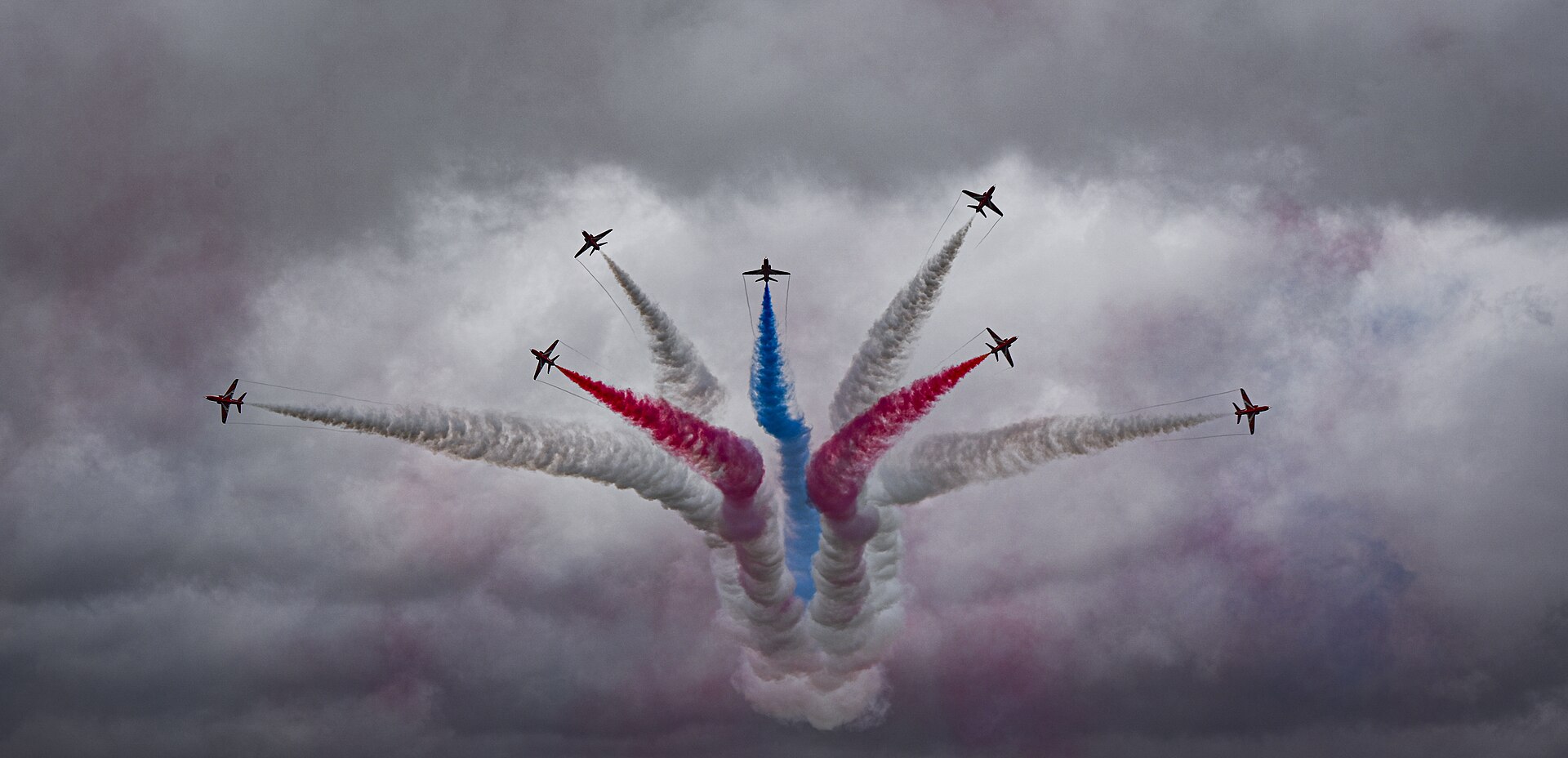
Keywording stock photos well means describing each image with the 30 to 50 accurate, specific terms a real buyer would type into a search box, ordered so the most important words carry the most weight. That single habit separates aviation photographers whose archives sell steadily from those whose superb images sit invisible on page forty of the search results. The camera work happens in seconds at the fence line; the sale happens months later when a picture editor in another country types three words into a search box. This guide covers everything that happens between those two moments.
What this guide covers
- Why keywords decide what sells
- What buyers actually search for
- How stock search engines rank your images
- The anatomy of an aviation keyword set
- Captions and titles do half the work
- Agency rules and limits
- Building your aviation keyword vocabulary
- Three worked examples
- Keywording in Lightroom
- Common keywording mistakes
- Keeping an archive consistent
- Frequently asked questions
Why keywords decide what sells
Almost nobody browses a stock library the way they browse a gallery. That is the fact that changes how you think about metadata. A picture researcher with a deadline does not scroll through aviation categories admiring photographs; they type a query, scan the first two or three rows of results, pick something workable and move on. If your image does not surface for the queries buyers actually use, it does not exist commercially. It will never be seen, never shortlisted, never licensed. The most common reason a good aviation image earns nothing is not quality, pricing or luck. It is that the photographer described the picture to themselves instead of to the person searching for it.
Aviation is unusually rewarding to keyword well, for two reasons. First, the subject matter is precise. A railway photographer and an aviation photographer both shoot big machines, but aviation buyers search with extraordinary specificity: an exact type, an exact variant, an exact operator, an exact event, sometimes an exact airframe by registration. A search for a generic “jet aircraft” is rare; a search for a specific type at a specific airshow is common. If your metadata carries that precision, you compete in searches with a handful of rivals rather than half a million.
Second, aviation images have long commercial lives. A well captioned photograph of an airliner in a current livery, a fighter at a display or a preserved warbird keeps selling for years, because the demand is editorial: news stories, anniversaries, accident coverage, fleet orders, airline results, obituaries of veterans, museum features. Editorial buyers depend heavily on metadata because they need to know exactly what they are looking at before they publish it. An editorial image with vague keywords is not just hard to find; it is unusable, because the researcher cannot verify what it shows.
What makes a caption good is best understood by watching what a buyer does with it. Our buyer’s guide to aviation image licensing follows a picture researcher from a registration to a licence, and every step of it depends on somebody having captioned the frame properly years earlier.
If you have not yet read our guide to licensing your aviation photography for stock, start there for the business context: editorial versus commercial licensing, choosing agencies and what the money looks like. This article assumes you know where you are submitting and concentrates on the craft that makes those submissions findable.

What buyers actually search for
Before optimising for searches, it helps to know who is doing the searching, because aviation stock has at least four distinct buyer types and they type very different things.
Picture editors at news outlets and aviation trade titles are the most precise. They search type, operator, event and registration, often under deadline, and they need the caption to confirm the facts before they can publish. They are the buyers your subject and operator keywords exist for, and they are loyal: an archive that reliably has correctly captioned images of a niche becomes a first stop.
Designers and marketers are the opposite. They rarely care which aircraft it is; they search moods, shapes and ideas: sunset flight, aircraft silhouette, travel concept, jet taking off. Your visual and concept layers exist for them, and their licences are frequently the better paid ones. An aviation archive keyworded only for enthusiasts is invisible to this entire market.
Educational and book publishers sit between the two. They search historically: a campaign, an era, an anniversary, a named programme. They plan months ahead, which is why anniversary keywords sell images years after upload, and they value accuracy the way news buyers do, because captions end up printed in books.
Finally there are the specialist and enthusiast markets: museum shops, memorabilia publishers, community titles and airline internal communications. Small individually, meaningful in aggregate, and they search exactly the way enthusiasts talk, in nicknames, squadron numbers and event shorthand. This is the market your synonym clusters quietly serve.
The practical conclusion is that a well keyworded aviation image speaks all four dialects at once. The seven layer method later in this guide is really a way of making sure none of these buyers arrives at the search box and finds you missing.
How stock search engines rank your images
Stock agency search engines differ in detail but share a common shape. Understanding it stops keywording feeling like superstition and turns it into a system you can work with.
Relevance matching comes first
The engine matches the buyer’s query against your keywords, caption and title. Exact matches score highest. If a buyer types a three word query and all three words appear in your metadata, you are in the running; if only two appear, you are behind every image that has all three. This is why completeness matters. The layers described later in this guide exist to make sure that whichever angle a buyer approaches from, whether type, operator, event, location or concept, your image has the matching term waiting.
Weighting decides the order
Among relevant images, weighting decides who appears first. Adobe Stock weights keywords by position, with the first ten carrying the most influence, so a keyword list that begins with your strongest, most specific terms outranks the same list in random order. Alamy takes a different approach: all fifty tags count, but you may promote ten of them to supertags, which receive extra weighting in search. Choosing supertags is effectively answering the question “what are the ten searches I most want this image to win?” Getty and iStock map your keywords onto a controlled vocabulary, so the weighting battle there is fought during disambiguation, when you confirm which precise concept each of your words means.
Performance feedback compounds over time
Most engines feed sales and click behaviour back into ranking. Images that get viewed, zoomed and licensed for a query rise for that query; images that are shown and ignored sink. This creates a rich get richer effect that you cannot control directly, but it doubles the value of getting metadata right on day one. An image that starts life findable begins accumulating positive signals immediately. An image you re-keyword a year later starts from zero against competitors with a year of sales history.
Spam is punished, not just wasted
Every agency’s contributor terms prohibit irrelevant keywords, and the penalties are real: rejected submissions, ranking suppression and, for persistent offenders, account action. The engines also protect buyers algorithmically, so an image that appears for many queries but never earns a click gets demoted across the board. The practical rule is simple. Every keyword must be defensible by pointing at the picture. If you cannot point to the thing, the word does not go in.
The anatomy of an aviation keyword set
The fastest way to keyword thoroughly without spamming is to work through layers, from the most specific to the most general. Aviation images support seven distinct layers, and a strong image will draw keywords from all of them.
Layer one: the exact subject
Type, variant and, where visible, the individual airframe. Not just the family name but the precise designation, because serious buyers search precisely. If the registration or military serial is readable, or you noted it at the time, include it. For editorial aviation photography the registration is one of the highest value keywords you can add: a researcher covering a story about one specific airframe searches by registration, and the pool of images carrying it is tiny.
Layer two: maker and family
The manufacturer and the broader family or programme the aircraft belongs to. Include historic manufacturer names where relevant, because buyers search for what they know: some search the current corporate name, others the name the aircraft wore when built. Both are legitimate keywords when both describe the aircraft in the frame.
Layer three: operator and markings
The airline, air arm, squadron or display team, plus anything notable about the markings: a special scheme, a retro livery, an anniversary tail. Livery keywords are perishable in the best way; when an airline repaints its fleet, photographs of the old scheme become historical documents, and the keyword that describes the scheme is how buyers will find them.
Layer four: what is happening
Action keywords: taking off, landing, taxiing, in flight, hovering, formation, aerobatics, afterburner, touchdown, rotation, vapour. Buyers frequently search action plus subject. A surprising number of contributors describe what the aircraft is and forget to describe what it is doing, which throws away half the search traffic.
Layer five: where and when
Airport, airbase, airshow, city, region, country. Event keywords carry the year: an image from a named airshow should carry the event name with and without the year. Location searches are a major route into editorial collections, and for images shot at named events the event keyword may be the single most searched term you attach.
Layer six: visual and technical character
What the frame looks like: silhouette, sunset, golden hour, close up, head on, underside, cockpit, detail, panning, motion blur, night. These matter to commercial buyers, who often need a mood or a composition rather than a specific machine, and to editorial designers looking for a particular shape to fit a layout.
Layer seven: concepts
The abstractions the image can illustrate: air travel, tourism, air power, defence, speed, engineering, teamwork, precision, nostalgia, heritage. Concept keywords are where restraint matters most, because they are the easiest to spam. The test is whether a designer could plainly use your image to illustrate that idea. A formation display really illustrates teamwork and precision. It does not illustrate freedom, business success or mindfulness, however tempting the extra terms may be.
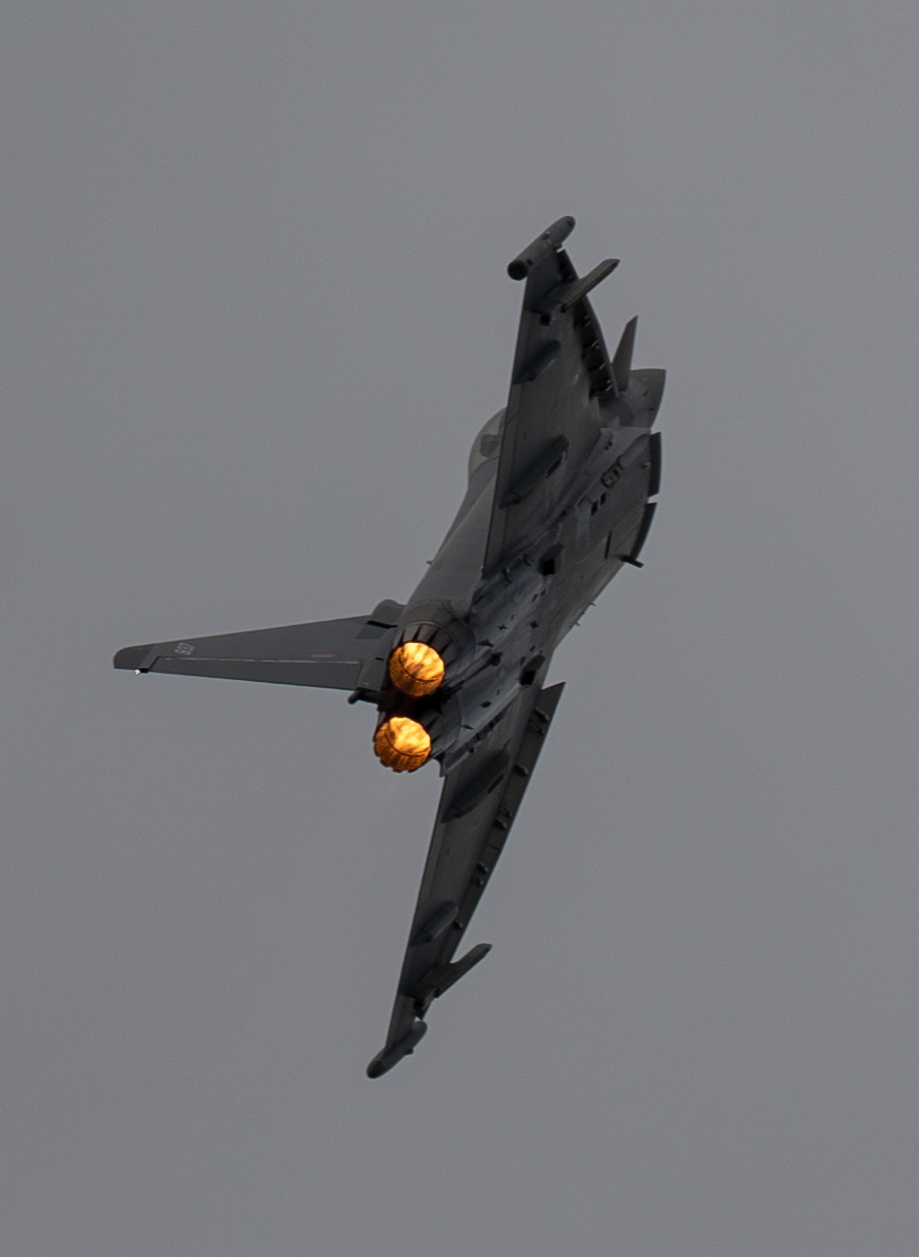
The table below turns the seven layers into a working checklist. Run down it for every image you submit and the metadata takes care of itself; most weak keyword sets fail not through bad choices but through whole layers being forgotten.
| Layer | What it covers | Typical search it wins |
|---|---|---|
| 1. Exact subject | Type, variant, registration or serial where visible | A researcher hunting one specific airframe or precise variant |
| 2. Maker and family | Manufacturer, current and historic names, programme | Coverage of a manufacturer story, an order, a retirement |
| 3. Operator and markings | Airline, air arm, squadron, display team, special livery | Fleet news, squadron anniversaries, livery features |
| 4. Action | Take off, landing, formation, aerobatics, taxiing, hover | Type plus action queries, the bread and butter of editorial search |
| 5. Place and event | Airport, airbase, airshow with year, city, country | Event coverage and location features |
| 6. Visual character | Silhouette, sunset, close up, head on, motion blur, night | Designers searching for a shape, mood or composition |
| 7. Concepts | Air travel, air power, heritage, speed, precision, teamwork | Commercial buyers illustrating an idea rather than a machine |
Captions and titles do half the work
Keywords are only part of the searchable text. Captions and titles are indexed too, and on some agencies they are weighted as heavily as the tags. Alamy is explicit that the caption is searched, and its editorial buyers read captions to verify what an image shows before they license it. A caption is not a poetic description; it is a factual sentence answering the journalist’s questions: who, what, where, when and, where known, why.
The same argument runs the other way when an image moves. If a photograph is animated for a collection page, the caption is still the thing telling a viewer what they are looking at, which is why we label ours and leave the still underneath. The full method is in adding motion to historic photographs.
A working editorial caption pattern for aviation is: subject, operator, action, location, date. Everything a researcher needs to verify the image is in one sentence, and every important search term appears in natural prose. Then the keyword field repeats those terms and adds the layers that do not fit a sentence: spelling variants, concepts, visual descriptors.
Three caption habits pay for themselves. First, write the date in full rather than relying on file metadata, because the caption survives export and syndication in ways embedded dates sometimes do not. Second, state what you know and no more. If you did not record which squadron the aircraft belongs to, do not guess; a wrong caption is worse than a thin one, because editorial buyers rely on it being true. Third, front load the subject. Search engines and skim reading researchers both give the first words the most attention.
Titles, where an agency asks for one separately, should be a shorter, plainer version of the caption, not a repeat of the keyword list. Shutterstock’s guidelines specifically prohibit stuffing titles with repeated words and phrases, and a title that reads like a sentence performs the additional job of looking professional when the image appears in search results.
Agency rules and limits
The core craft is identical everywhere, but the mechanics differ agency by agency, and knowing the numbers stops you wasting effort. The figures below reflect each agency’s published contributor guidance at the time of writing; limits do change, so check the contributor help pages when you set up your workflow.
| Agency | Keyword limit | Weighting mechanism | Notes for aviation contributors |
|---|---|---|---|
| Alamy | Up to 50 tags; minimum of a caption plus 5 tags to go on sale | Promote up to 10 tags to supertags for extra search weight | Captions are searched and matter enormously; registrations and full editorial detail are welcomed; strong home for aviation editorial |
| Adobe Stock | Up to 49 keywords; Adobe suggests around 15 to 25 well chosen terms | Order matters; roughly the first 10 keywords carry the most weight | Lead with type, operator and action; drag your best terms to the top before submitting |
| Shutterstock | 7 minimum, 50 maximum | No published order weighting; relevance and performance driven | Keywords must be in English, with exceptions for place names, Latin names and common foreign terms; titles must not repeat stuffed phrases |
| Getty Images / iStock | Up to 50 terms via the ESP submission platform | Keywords map to a controlled vocabulary during disambiguation | Your free text words are matched to official vocabulary terms; check each match, because a wrong disambiguation puts the image in the wrong searches entirely |
The controlled vocabulary point deserves expansion because it trips up aviation specialists. On Getty and iStock you do not really submit keywords; you submit suggestions, and the system asks you to confirm which official concept each one means. Aviation terms are full of ambiguity traps: a word can be an aircraft name, a bird, a weather phenomenon or a place. Rushing disambiguation is how photographs of fighters end up in searches for wildlife. Slow down on that screen; it is the whole ballgame on those platforms.
Alamy’s supertags reward a different discipline. You have ten promotions to spend, and the temptation is to spend them on the biggest, most searched words. Resist it. Your generic terms compete against millions of images and a supertag will not move you to the front of that queue. Spend supertags where you can plausibly win: the exact type, the operator, the event, the registration, the special livery. Supertagging the searches where your image is one of fifty candidates rather than one of five million is how a small archive gets found.
Building your aviation keyword vocabulary
Professionals do not invent keywords from scratch for each image; they maintain a vocabulary and apply it. Yours needs to handle the ways aviation language forks.
Spelling variants and synonyms
Buyers search in both UK and US English, and the engine will not always bridge the gap for you, and the engine will not always bridge the gap for you. Aeroplane and airplane, colour scheme and color scheme, armoured and armored, defence and defense: where a variant has plausible search volume, carry both. The same goes for genuine synonyms: aircraft, plane, jet (where true), airliner, warplane, and for the family of hobby terms around plane spotting, aviation photography and avgeek that bring in enthusiast market buyers.
Designations, names and nicknames
Military aircraft in particular accumulate multiple identities: an official designation, a service name, a NATO reporting name, a manufacturer’s model number and often an affectionate nickname used by crews and enthusiasts. Different buyers search different identities. A researcher who grew up on airshows may search the nickname; a defence journalist may search the designation. Where each name really refers to the aircraft in your frame, each belongs in the keyword set. Our guide to reading military aircraft markings and serials covers how to identify what you actually photographed, which is the prerequisite for all of this.
Hierarchies save the typing
The practical trick is to store this vocabulary as a hierarchy so that specific terms drag their parents in automatically. If your keyword tree knows that a given fighter type belongs to its manufacturer, and the manufacturer sits under military aviation, then tagging the type applies the whole ancestry in one action. Build the tree once, refine it as you go, and per image keywording collapses from research into recognition. The Lightroom section below covers the mechanics.
Steal from real searches, not from rivals
When you want to know what buyers type, use the sources agencies give you: Alamy publishes measures of what customers searched for, and every agency’s autocomplete shows you live query patterns. Type your subject into the buyer side search box and note what the suggestions reveal about phrasing. What you should not do is copy the keyword list from a rival’s best selling image wholesale. Beyond the ethical problem, it imports their errors and their spam into your archive, and agencies are alert to duplicated keyword sets.
Three worked examples
Theory becomes muscle memory through examples. Here are three images of the kinds aviation photographers actually submit, worked through the seven layers.
Example one: display team at a named airshow
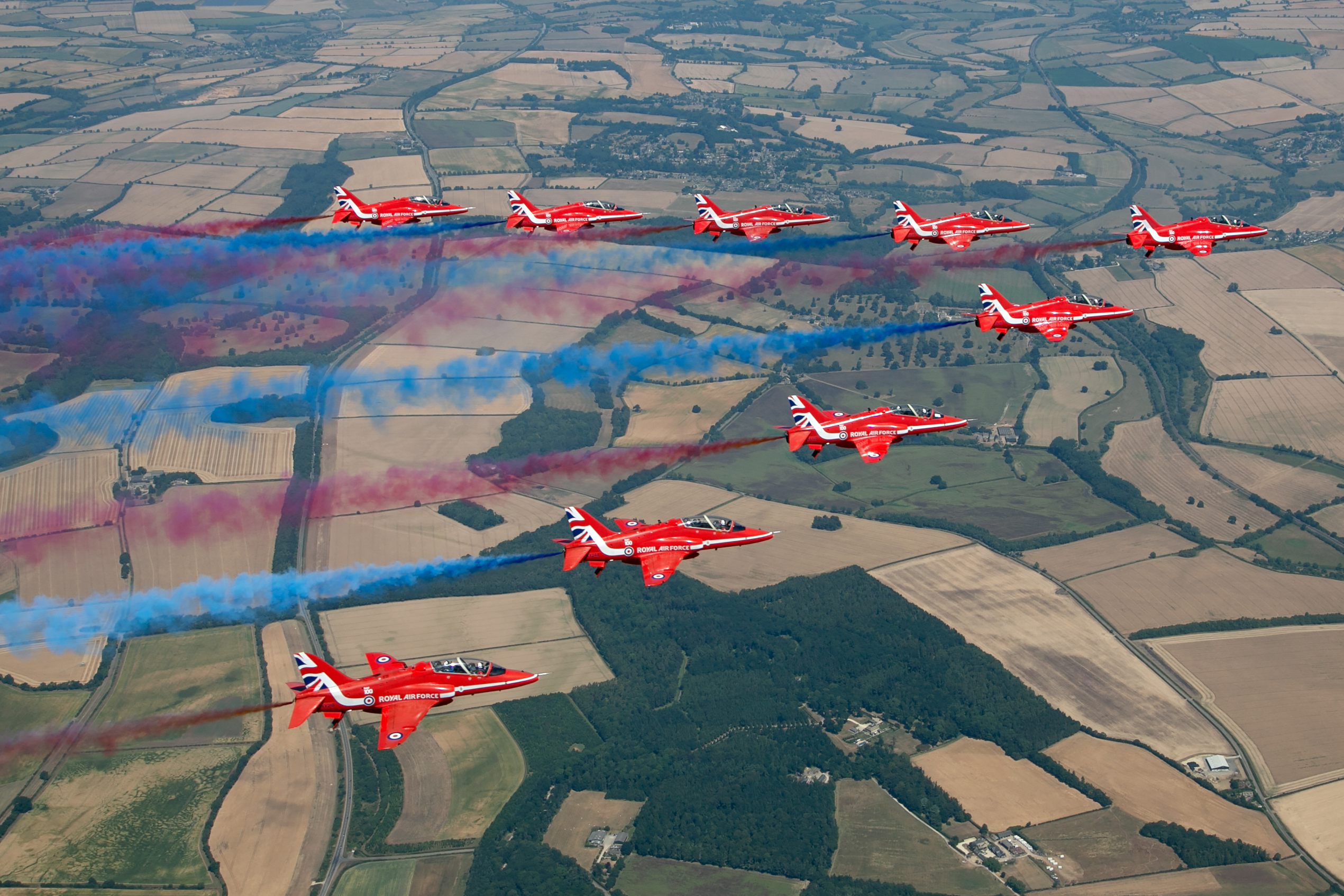
Caption: the team, the display, the event with year, the venue, the location, the date. Keyword layers: the team name (with and without RAF prefix); the aircraft type the team flies; the air arm; aerobatics, formation, display, smoke; the event name with and without the year, the airfield, the county, England, UK; red white and blue smoke trails as visual terms; teamwork, precision, British as concepts. On Alamy, the supertags would be the team name, the aircraft type, the event name with year, the venue and formation aerobatics: the searches this image can win. On Adobe Stock, the same terms go in positions one to ten. Note what is absent: no rival display teams, no other aircraft types, nothing you cannot point to.
Example two: airliner on approach
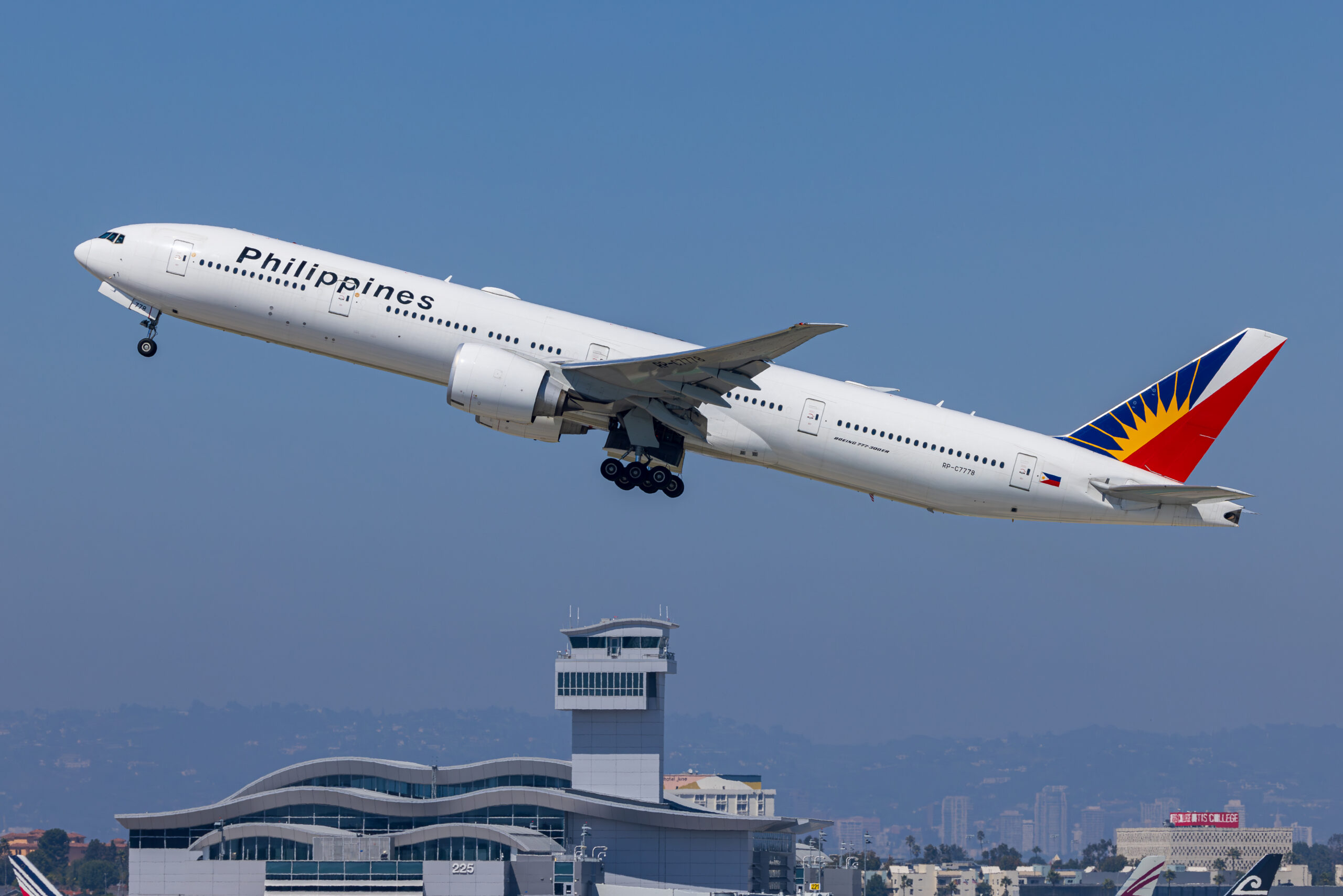
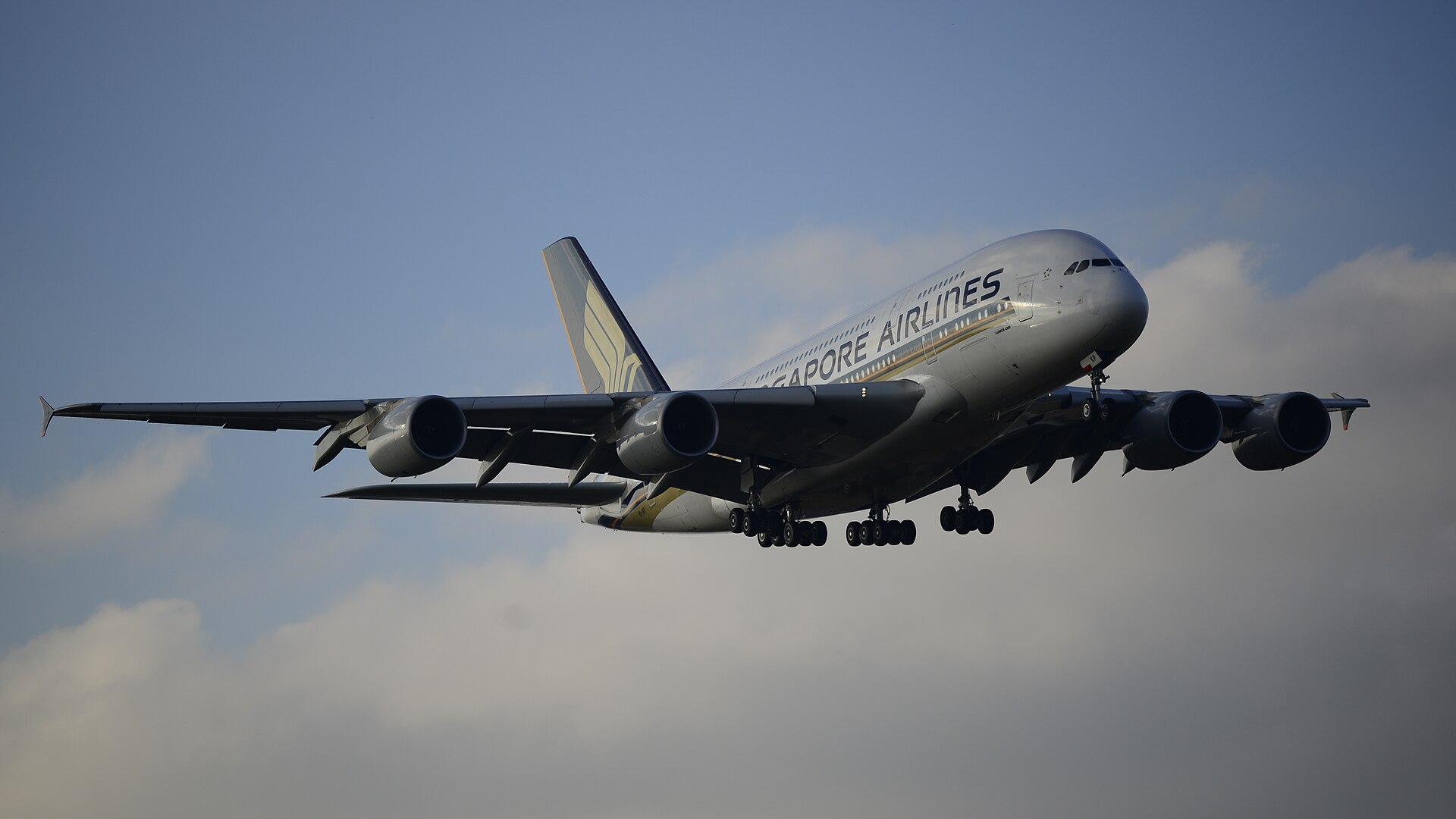
Caption: type, operator if identifiable, action, airport, city, date. Keyword layers: the type and family; the manufacturer; the airline and alliance if markings show; final approach, landing, arrival, undercarriage down; the airport name and code, the city, the region; blue sky, underside, wide body as visual terms; air travel, aviation industry, commercial aviation, transport, tourism as concepts. Airliner images earn from two distinct markets, editorial aviation coverage and generic travel illustration, and the keyword set has to serve both: precise terms for the first, concept terms for the second. If you shoot at spotting locations regularly, our plane spotting guide covers finding the positions that produce saleable angles in the first place.
Example three: preserved warbird
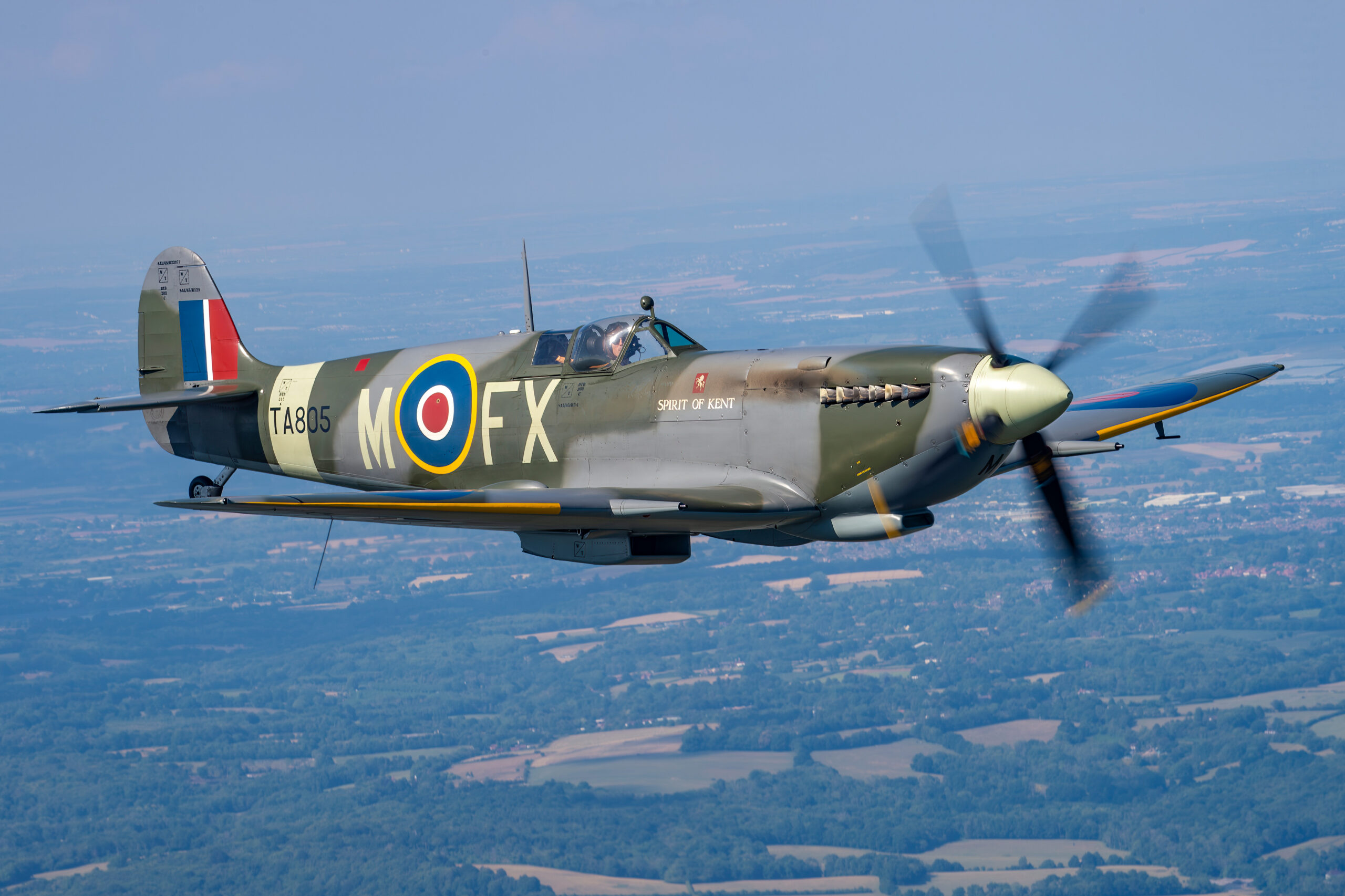
Warbird and historic subjects add an eighth layer: time. The type and precise mark; the manufacturer; the operator then and, for a preserved aircraft, the operator now; the conflict, the campaign, the era; the paint scheme and code letters; heritage, history, remembrance, anniversary as concepts. Anniversary demand is the quiet engine of warbird sales: every round numbered anniversary of a campaign or a first flight sends researchers into the archives, and the images they find are the ones whose keywords anticipated the search. Date your captions precisely and name the conflict and campaign, not just the war.
Keywording in Lightroom
You can keyword inside each agency’s upload portal, but doing it once in Lightroom and letting the metadata travel with the file is faster, more consistent and survives agency changes. Lightroom writes your keywords, caption and title into the exported file’s IPTC metadata, which every major agency reads on ingestion. If you already follow our Lightroom editing workflow for aviation photos, keywording slots into the same session, after selection and before export.
Build the hierarchy once
In the Keywording panel, create a tree that mirrors how aviation actually nests: military aviation containing manufacturers containing types containing variants; civil aviation containing airlines and airports; events containing each airshow by year; techniques and concepts as their own branches. When you apply a child keyword, Lightroom can export its ancestors automatically, so tagging the variant tags the type, maker and category in one action.
Use synonyms for the variant problem
Each keyword in Lightroom can carry synonyms that export with it. Attach the US spelling, the nickname, the alternative designation and the plural to the master keyword once, and every image you ever tag with it inherits the whole cluster. This is the single biggest time saver in the entire workflow: the thinking about aeroplane versus airplane happens once per term, ever, not once per image.
Mind the export checkboxes
Three per keyword settings matter: Include on Export (uncheck for private organisational tags like shoot codes), Export Parents (usually on, for the hierarchy benefit) and Export Synonyms (on, for the reason above). Keep one branch of the tree explicitly private, and check the panel occasionally; nothing embarrassing should ride along inside a file you send to an agency.
Batch what repeats, individualise what does not
From a single airshow you may keep forty frames sharing event, venue, date and mostly subjects. Apply the shared set to the whole selection at once, whether by sync, spray tool or a metadata preset built for the event, then walk through frame by frame adding only what distinguishes each image: the action, the composition terms, the specific aircraft in multi subject shots. Batch application without the individual pass is how archives end up with formation keywords on solo shots; the individual pass without batching is how keywording eats an evening. Do both, in that order. The same session is a good moment to finish files properly; see our guide to noise reduction and sharpening for long lens shots for the output stage.
A repeatable per shoot routine
Put the pieces together and a full airshow edit settles into a rhythm. Import and select first, keywording nothing you will not keep. Apply the event preset, venue, date and shared subject terms to the whole selection in one pass. Then a single walk through the keepers, adding per image action and composition terms and confirming each aircraft identification against your notes or the display programme. Finally, a caption pass, because captions want sentences and sentences want a different part of your brain than tags do. Forty keepers from a show day should cost you under two hours of metadata work, and that time is recouped on the first licence the metadata wins.
Common keywording mistakes
The same handful of errors accounts for most lost sales, and every one is fixable.
Misidentifying the aircraft
The cardinal aviation sin. Similar types get confused constantly, variants within a type even more so, and a wrong identification is worse than none: the image appears in the wrong searches, disappoints the wrong buyers and, if licensed, embarrasses a publication. Editorial credibility is the aviation photographer’s stock in trade. If you are not certain, check reference sources or spotting communities before you tag, and if certainty is impossible, keyword at the level you can defend, family rather than variant.
Stuffing to the limit
Fifty slots is a ceiling, not a target. Padding with marginal terms dilutes relevance scoring, invites spam penalties and buys you appearances in searches you cannot win, where non performance drags your ranking down further. Adobe’s own guidance suggesting 15 to 25 keywords reflects this; a tight, accurate set beats a bloated one.
Describing only the object
Type, maker, operator and nothing else. The image never appears for action, location, event, visual or concept searches, which between them carry most of the traffic for many images. Run the seven layers as a checklist and the gaps announce themselves.
Ignoring order and supertags
Uploading the same unordered list everywhere leaves ranking weight on the table at Adobe and Alamy specifically. Two extra minutes per submission, dragging the best ten terms to the front or ticking ten supertags, is one of the cheapest ranking improvements available in stock photography.
Guessing in captions
An invented squadron, an assumed airport, a misremembered date. Editorial buyers verify against captions, and a caption proven wrong poisons trust in your whole archive. State what you know; omit what you do not.
Treating editorial and commercial the same
An image destined for editorial collections should be keyworded like journalism: facts first, verifiable, dated, no concept padding. An image with commercial potential, released or with nothing identifiable in frame, earns its keep on the concept and visual layers. Submitting both kinds with an identical keywording mindset shortchanges one of them. Ask which market each image serves before you start typing, and let that answer shape where the effort goes.
Never revisiting
Keywording is not write once. Liveries become historic, aircraft retire, museums move airframes, anniversaries approach. An hour a quarter updating the metadata on your strongest sellers, adding the terms the world has since made relevant, is some of the best paid time in this business.
Keeping an archive consistent
Consistency is what turns keywording from a chore into an asset. If the same aircraft type is tagged three different ways across your archive, you have three weak clusters instead of one strong one, and a buyer who finds one of your images cannot find its siblings. The remedies are structural rather than heroic. Keep a single master hierarchy and never freelance new spellings on the fly; when a new term is needed, add it to the tree deliberately, with its synonyms, so every future use is identical. Audit occasionally by searching your own catalogue for the variants you fear and merging what you find. And when an image sells, look at its metadata and ask what worked; your own sales history is the most honest keywording teacher you will get.
It is also worth understanding why the Lightroom approach travels so well: the keywords, caption and title you write are stored in the exported file using the IPTC metadata standard, the same fields press photographers have filled in since the wire service era. Because every serious agency ingests IPTC, a properly captioned file arrives at Alamy, Adobe Stock, Shutterstock or Getty with its metadata already in place, and if you ever leave an agency, or a new one appears, your archive carries its own catalogue with it. Photographers who keyword only inside an agency’s web portal are, in effect, donating their metadata work to that one platform. Keep the master copy in your own files and the portals become mere destinations.
Consistency also pays on the portfolio level. Agencies surface “more from this contributor” links, and a coherently keyworded archive turns every sale into a shop window for the rest of your work. The buyers who license one airshow image often need six more from the same event, and metadata is how they discover you have them. You can see how we organise our own archive in the Piemags aviation galleries, and our licensing page explains the terms under which the archive is available.
Requesting images. Email sales@piemags.com with the subject you need, the medium, the territory, the print run or audience, and your deadline. That is enough to quote against. Licensing terms are set out on the Piemags licences page.
The same metadata panel carries your rights information as well as your keywords, and the fields that tell a finder where to license the picture are the ones most often left empty. Our guide to aviation photography copyright, watermarks and metadata works through which fields survive a platform upload and which do not.
Frequently asked questions
How many keywords should I use on a stock photo?
Use as many accurate keywords as the image really supports, which for a strong aviation image is usually 30 to 50. Alamy and Shutterstock allow up to 50, Adobe Stock accepts up to 49, and Getty accepts up to 50 controlled vocabulary terms. Never pad to reach the limit, because irrelevant keywords hurt your search ranking more than a short list does.
Does keyword order matter on stock agencies?
On Adobe Stock it matters a great deal: the first ten keywords carry the most search weight, so put the subject, aircraft type and main action first. Alamy uses supertags instead, letting you mark ten of your fifty tags for extra weighting. Shutterstock and Getty do not rank by entry order in the same way, but leading with the most specific terms is still good practice.
Should I keyword the aircraft registration?
Yes, on agencies that welcome editorial detail, such as Alamy, the registration or serial is one of the most valuable tags you can add. Researchers looking for a specific airframe search by registration, and you may be the only contributor with that aircraft on that day. Put it in the caption as well as the tags.
What is keyword spamming and what happens if I do it?
Keyword spamming is adding terms that do not describe what is actually in the picture, such as tagging every fighter jet with every rival type name. Agencies penalise it because it ruins search results for buyers. At best your images sink in ranking; at worst agencies reject the submission or take action against the account. Accuracy beats volume every time.
Can AI keywording tools do the job for me?
AI tools produce a usable first draft for generic terms like sky, aviation and travel, but they routinely misidentify aircraft types, variants, operators and locations, which are exactly the keywords aviation buyers search on. Use them to save typing on the general layer, then check and correct every specific claim yourself before submission.
Do I need different keywords for each agency?
The core set stays the same, but each agency has quirks: Alamy wants supertags chosen and rewards long captions, Adobe Stock wants your best ten first, and Getty maps your words to its controlled vocabulary during disambiguation. Build one master set per image in Lightroom, then spend a minute per agency adapting it rather than starting again.
Should keywords be in UK or US English?
Include both spellings where they differ, because buyers search in both. Aeroplane and airplane, colour and color, armoured and armored all have search volume. Shutterstock requires keywords in English but accepts place names and commonly used foreign terms. Lightroom synonyms let you attach both spellings to one keyword so you only type them once.
How long should keywording take per image?
With a maintained keyword hierarchy, two to four minutes per image is realistic for a fully researched editorial caption and keyword set, and far less when you batch similar frames from the same shoot. The first pass on a new subject takes longest; after that your saved hierarchy does most of the work.
Keywording is one half of selling stock photography; presentation is the other. See building an aviation photography portfolio that sells.
Keywording is far quicker when you are only working through a properly culled set. See our airshow photo culling workflow for the pass-based method that gets you from thousands of frames to a handful of keepers before you start tagging.
